README
CourseCraft
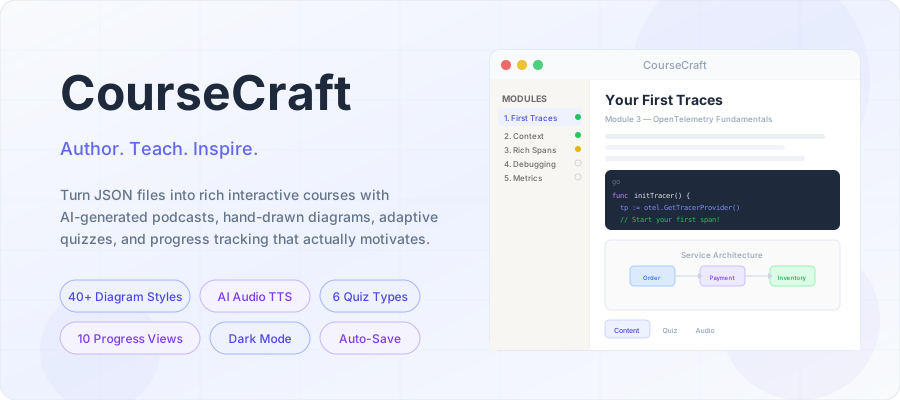
Most course platforms make you choose: either you get a polished learner experience with zero authoring flexibility, or you get a developer-friendly system that looks like a wiki from 2008. CourseCraft is what happens when you refuse to choose.
It's a course authoring and delivery platform where the content lives as plain JSON files on disk — no database, no CMS login, no build pipeline. You edit a file, the app picks it up. But what learners see is anything but plain: richly rendered pages with syntax-highlighted code, hand-drawn diagrams, AI-generated podcast conversations, interactive quizzes, and progress tracking that goes way beyond a simple percentage bar.
The whole thing runs locally with npm install and a single command. No Docker required, no cloud services (unless you want AI audio). It's deliberately simple infrastructure for a deliberately rich experience.
What It Looks Like In Practice
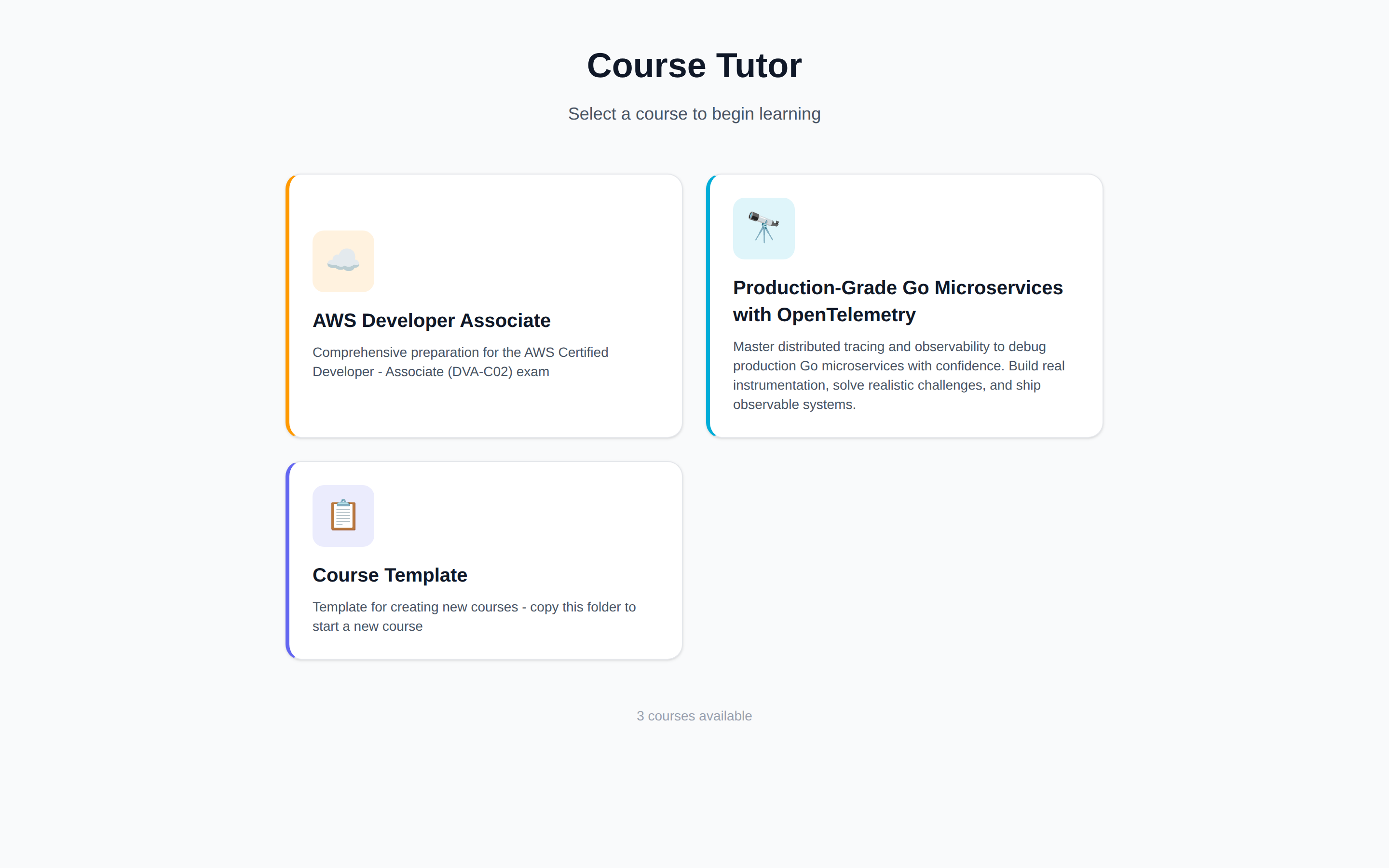 | 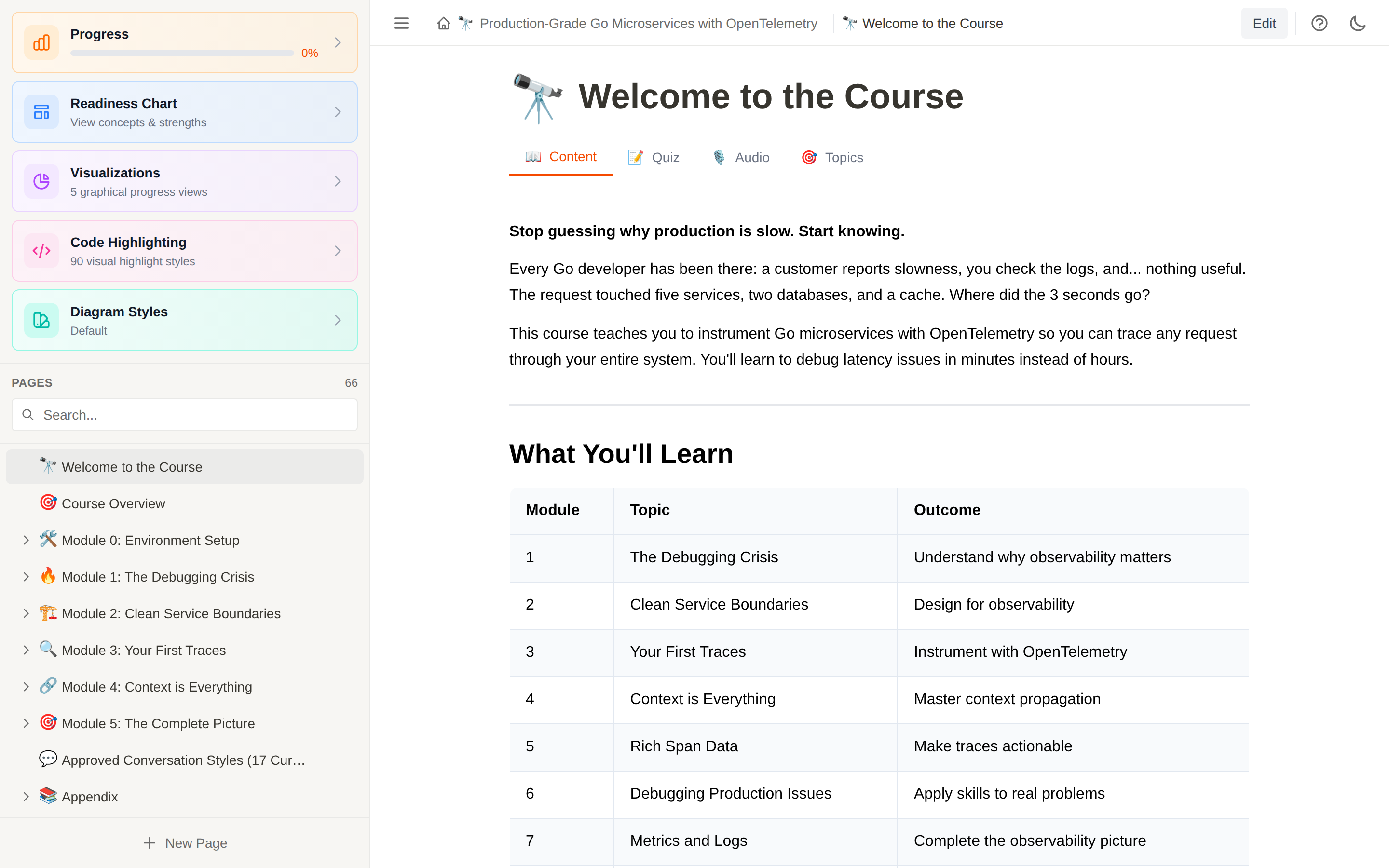 |
| Course selection | Reading a course in light mode |
| Module page with callouts and terminal blocks | Full dark mode |
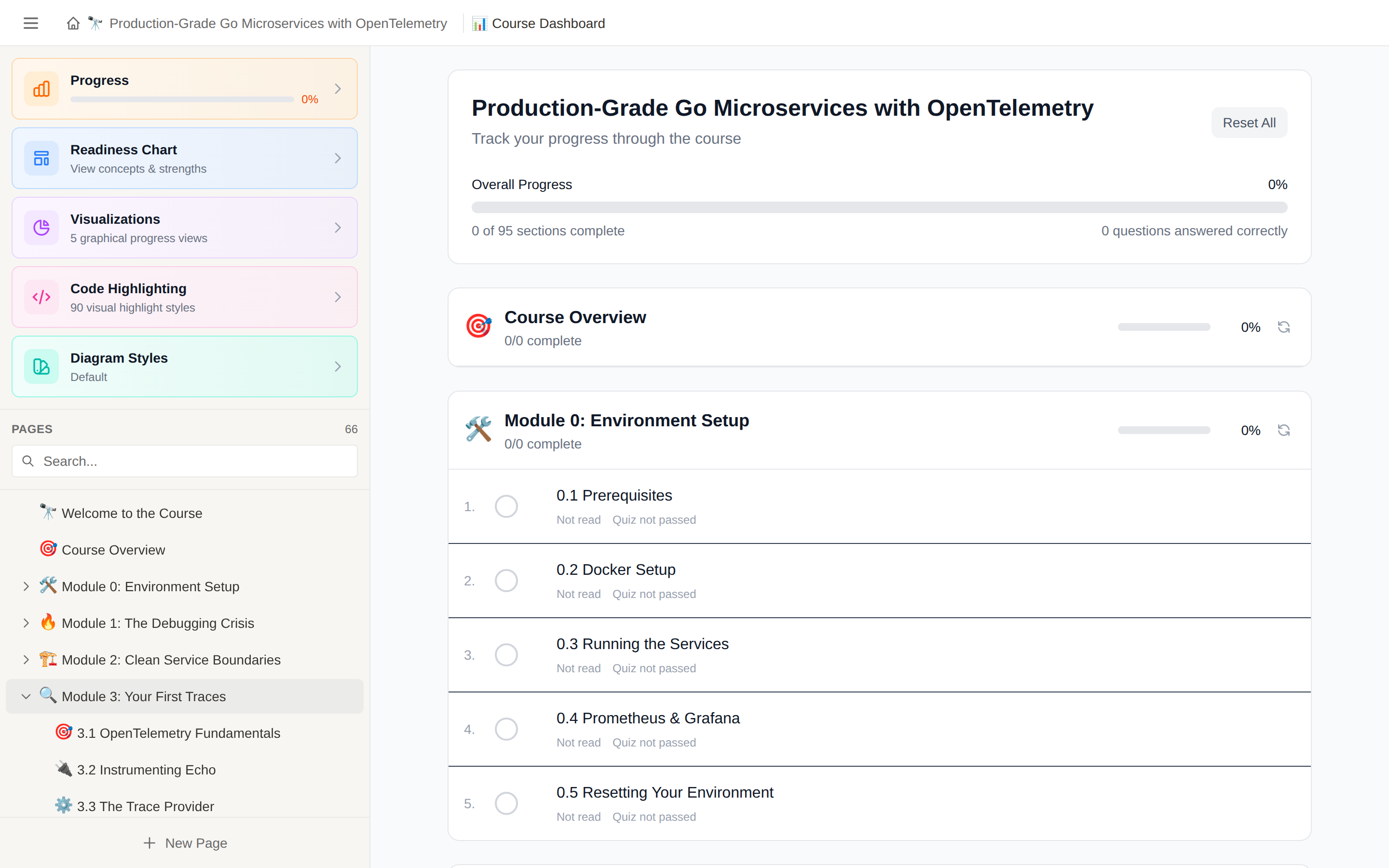 | 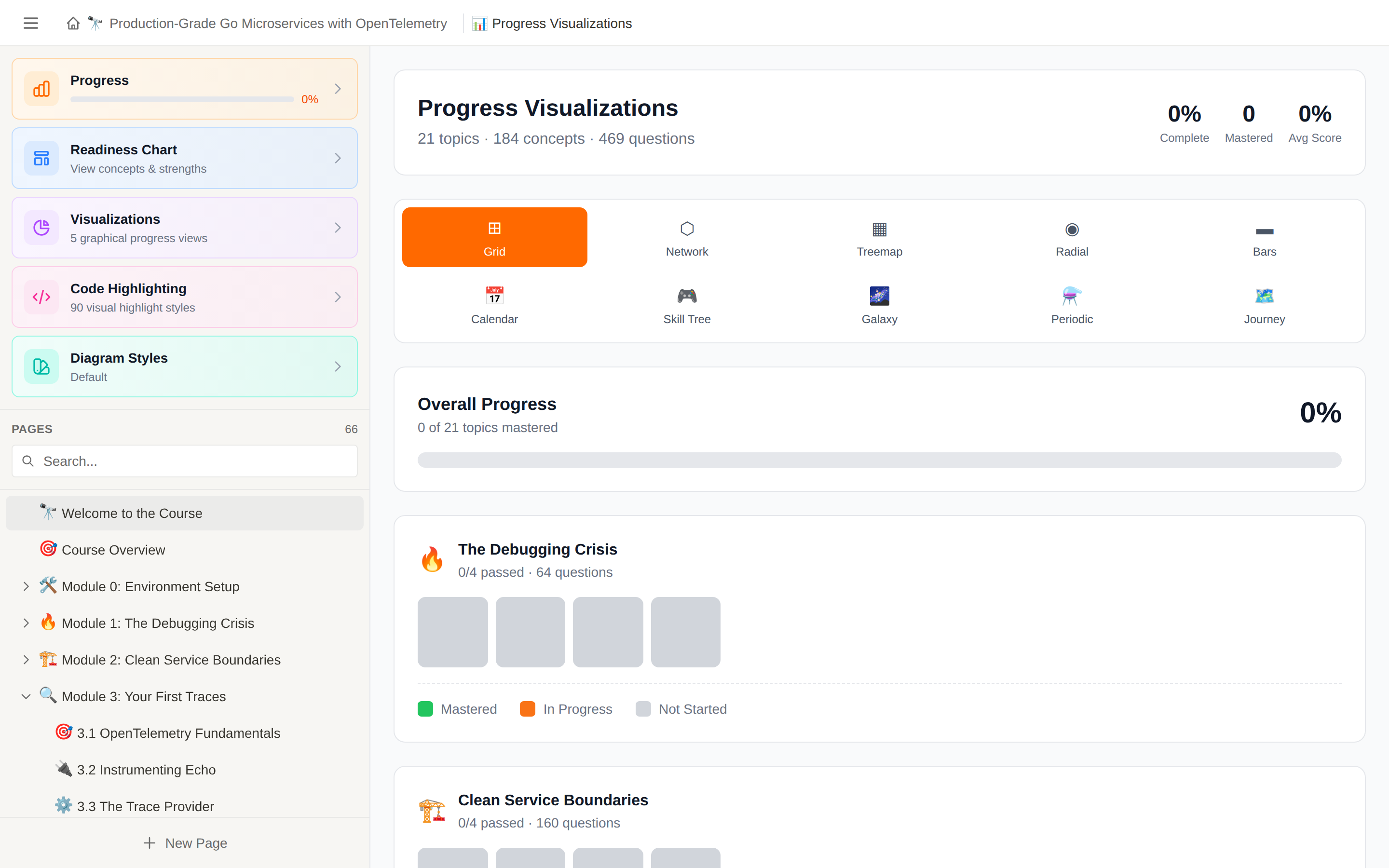 |
| Progress dashboard | Ten visualization styles |
If you're a learner, you get a clean reading experience with a sidebar that navigates the course structure. Each page can have multiple tabs — the lesson content, a quiz, a podcast conversation, and a topic coverage view. The app tracks which pages you've read and how you've scored on quizzes, then shows your progress through ten different visualization styles (more on that below). It remembers your scroll position per page, your dark mode preference, and which page you were last reading.
If you're a content author, you get a TipTap-based rich text editor (the same engine Notion uses) with a toolbar for formatting, code block insertion with language detection, callout boxes, and embedded Mermaid diagrams. Switch to edit mode, make changes, and they auto-save with a one-second debounce straight to JSON on disk. There's also a question editor for building quizzes with six different question types, each with explanations that actually teach rather than just grade.
If you're a developer, you get a React 19 + TypeScript frontend with Vite hot reload, a lightweight Express backend that serves JSON files, and a clean component architecture where adding new content types means creating a component and registering it. The codebase is straightforward — no ORMs, no state management libraries, no build-time content processing. Pages are JSON. The API is REST. State lives in React hooks and localStorage.
The Feature Set
Diagrams That Don't Look Like Diagrams
Every technical course needs diagrams, and every technical course has ugly ones. CourseCraft ships with 40+ Mermaid diagram styles built on custom SVG filters. Pick from hand-sketched whiteboard drawings, blueprint schematics, chalkboard illustrations, watercolor-style soft renderings, cyberpunk neon, or retro 80s aesthetics. The style selector in the sidebar changes all diagrams globally, so you can find what works for the material and stick with it.
These aren't just CSS color themes. Each style uses SVG displacement filters to add organic wobble to lines, making flowcharts and sequence diagrams feel like someone actually drew them rather than generated them.
AI-Powered Podcast Audio
Each chapter can have a conversation-style podcast where two AI voices — Sam and Maya — discuss the material as a natural dialogue. This isn't robotic text-to-speech reading a script. The conversations are authored as markdown dialogues with personality, pauses, and back-and-forth, then rendered through ElevenLabs' eleven_v3 model.
While listening, learners can layer in ambient sounds — rain on a window, a quiet library, wind through trees, nature sounds — with a dedicated volume slider. The backend handles segment caching with SHA256 hashes, FFmpeg audio processing with micro-fades between speakers, and pink noise mixing for smooth concatenation. There's even a cost estimator so you know what generation will cost before you run it.
Audio generation is entirely optional. Everything works without an API key.
Quizzes That Actually Assess Understanding
Six question types, each designed for a different kind of knowledge:
Multiple Choice and True/False handle factual recall. Multiple Select tests nuanced understanding where several answers can be correct. Matching connects related concepts. Ordering verifies process knowledge — can you put the steps in the right sequence? Code Analysis is where it gets interesting: learners examine real code and answer questions about what it does, what's wrong, or what happens at runtime.
Every question links to specific concepts, so the system builds a per-topic mastery model. Score 80% or above and you've mastered that concept. The readiness view shows you exactly which topics need more work.
Ten Ways to See Your Progress
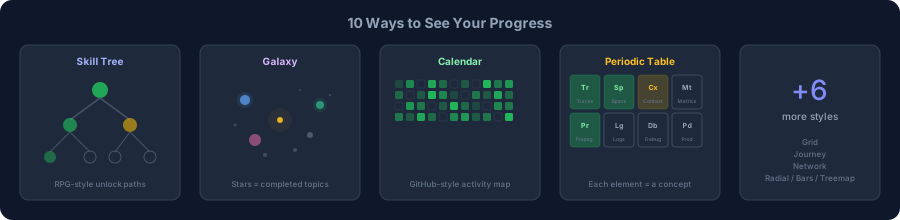
A single progress bar tells you almost nothing useful. CourseCraft gives learners ten completely different visualizations of the same data, because different people are motivated by different things:
A Skill Tree with RPG-style branching paths where chapters unlock as you progress. A Galaxy where each star system is a module and bright stars are completed topics. A Calendar heatmap that looks like GitHub's contribution graph but tracks learning sessions. A Periodic Table where each element is a concept with its mastery level as the atomic weight.
Plus Grid, Network, Treemap, Radial, Bars, and Journey views. Learners pick whichever one makes them want to come back tomorrow.
In-Page Learning Checks
Scattered through the content, learners encounter interactive checks without leaving the page. Inline quizzes test understanding right where the concept was taught. Reflection prompts ask open-ended questions designed to make you stop and think. Code completion exercises present code with blanks to fill in, accepting multiple valid answers per blank.
These aren't graded the same way quizzes are — they're lightweight checkpoints that reinforce learning in context.
Distributed Trace Waterfall
Built for the OpenTelemetry course but usable in any course, this component renders interactive service-to-service call traces with timing bars, color-coded services (order, payment, inventory, database), expandable span details, and context panels. It's the same kind of visualization you'd find in Jaeger or Zipkin, embedded directly in lesson content.
Everything Else
Dark mode that actually works — every component, diagram style, code block, and UI element adapts. Scroll position persistence per page. Deep-linkable URLs for every page. Resizable sidebar. Breadcrumb navigation. Page duplication and reordering. ZIP download of course repositories. File tree browser for associated code repos. A video script mode for planning course recordings.
Getting Started
git clone https://github.com/jonathanleahy/coursecraft.git
cd coursecraft
npm install
./dev-all.sh
The startup script launches both the Express backend and Vite frontend with hot reload. Open your browser to the URL shown in the terminal (usually http://localhost:5173 for the frontend).
That's the entire setup. No environment variables required unless you want AI audio generation — for that, create backend/.env with your ElevenLabs key:
ELEVENLABS_API_KEY=your_key_hereFor the full walkthrough — navigating courses, using the editor, creating content from scratch, quiz authoring, and troubleshooting — read the User Guide.
How Courses Work
A course is a folder in backend/pages/ with a course.json and some page files:
backend/pages/my-course/
├── course.json                 # Title, emoji, color, description
├── course-intro.json           # First page
├── module-1/                   # Modules are subdirectories
│   ├── lesson-1.json
│   └── lesson-2.json
├── module-2/
│   └── deep-dive.json
└── data/
    ├── quizzes/                # Question banks
    └── audio/                  # Conversation scripts for TTS
The sidebar builds itself from the file structure. Pages nest automatically. The backend picks up new files without a restart — just refresh the browser.
A page is a JSON file with an id, title, emoji, and content field containing HTML. The editor handles the HTML for you, but you can also author pages by hand or generate them programmatically. The included course-template folder has examples of every content type.
Architecture
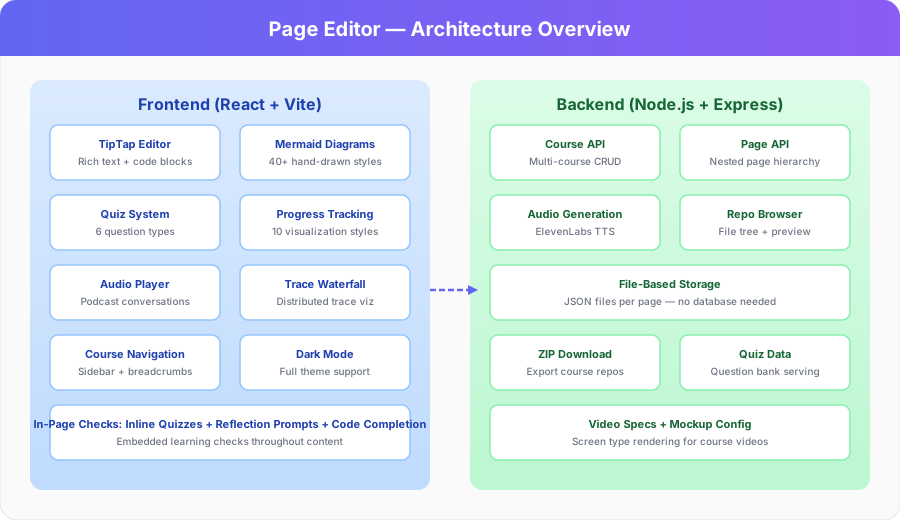
Frontend: React 19, TypeScript, Vite 7, Tailwind CSS 4. The editor is TipTap 3 with custom extensions for callouts, terminal blocks, mermaid diagrams, and SVG embeds. Diagrams render through Mermaid.js. Code highlighting uses Prism.js via lowlight.
Backend: Node.js with Express 5. No database — pages are JSON files on disk. The API serves courses, pages, quiz data, audio files, and repository contents. Audio generation integrates ElevenLabs with FFmpeg for post-processing.
Storage: Everything is files. Course structure is folder structure. Page content is JSON. Quiz data is JSON. Audio scripts are markdown. This means you can version control your entire course with git, diff content changes, and collaborate with standard tools.
API at a Glance
GET    /api/courses                       # List courses
GET    /api/courses/:id                   # Single course
GET    /api/courses/:cid/pages            # Pages in a course
GET    /api/courses/:cid/pages/:pid       # Page with full content
PUT    /api/courses/:cid/pages/:pid       # Create or update page
DELETE /api/courses/:cid/pages/:pid       # Delete page

POST   /api/audio/:chapterId/generate     # Generate podcast audio
POST   /api/audio/:chapterId/estimate     # Cost estimate
GET    /api/audio/:chapterId/status       # Check audio availability

GET    /api/courses/:cid/repo             # Course file tree
GET    /api/courses/:cid/repo/file        # File content with line ranges
GET    /api/courses/:cid/download         # ZIP download
What Ships With It
The repo includes three courses to explore and learn from:
Go Microservices with OpenTelemetry — A full-length story-driven course following Maya Chen, a developer debugging production incidents across distributed services. Eight modules, narrative arc, AI audio conversations, trace waterfall visualizations, quizzes with code analysis questions, and a companion code repository. This is the showcase for what CourseCraft can do.
AWS Developer Associate — A certification prep course structure (in progress).
Course Template — A starter template with examples of every content type, visual component, and configuration option. Fork this to start your own course.
Documentation
| Document | Description |
|---|---|
| User Guide | Complete walkthrough from first launch to authoring your own course |
| CHAPTER-WRITER.md | Content authoring guidelines and style rules |
| Visual Components | Reference for all available content block types |
License
MIT