README
Chess Mastery
A chess training web application with AI-powered analysis, opening tutorials, and game review.
[](https://reactjs.org/) [](https://www.typescriptlang.org/) [](https://vitejs.dev/) [](https://storybook.js.org/) [](https://playwright.dev/) [](https://vitest.dev/)
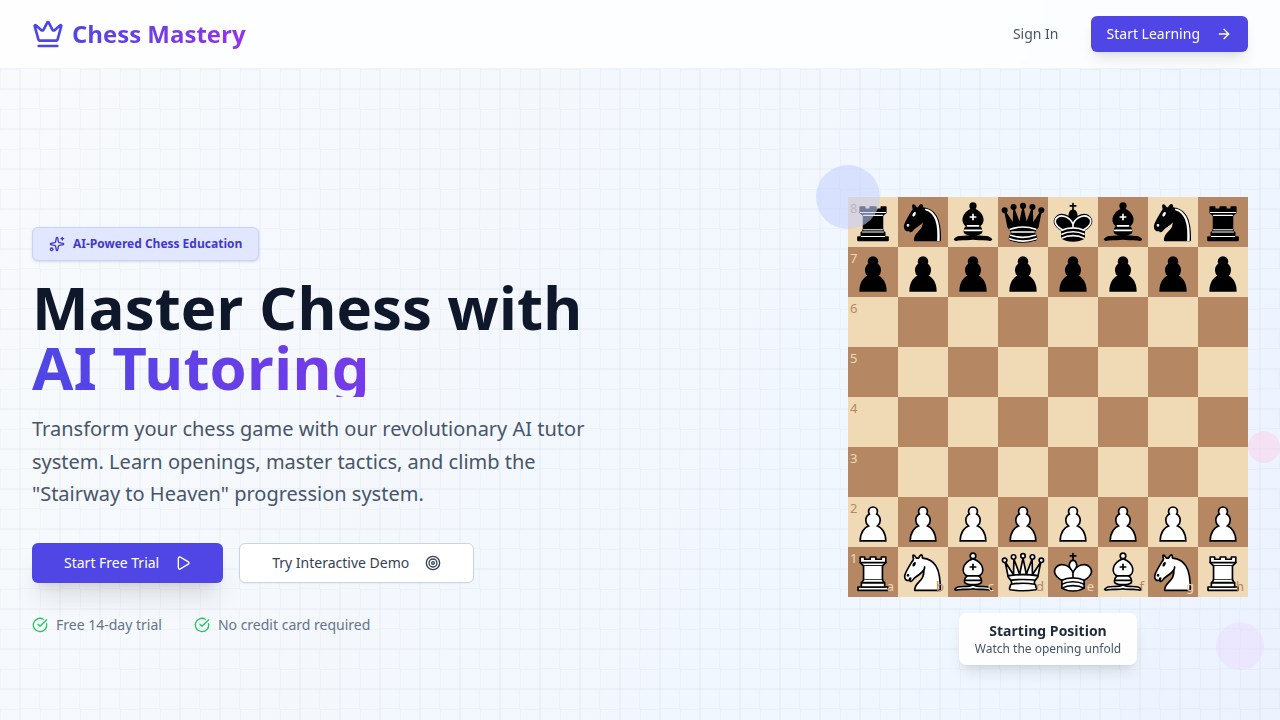
User Guide
End-user documentation with screenshots lives in docs/.
Features
Play vs Stockfish (/practice)
- Adjustable difficulty — 10 engine skill levels
- Real-time evaluation bar and best-move arrows
- Move quality classification:
!!brilliant ·!great ·✓good ·?!inaccuracy ·?mistake ·??blunder - Live analysis panel — 5 tabs: Defence, Tactical, Threats, King Safety, Positional
- Best line animation: click Play Line → arrows appear; click Animate → pieces move at 1.5s intervals; auto-restores after 3-second study pause
- Get Hint, Take Back Move
Tutorial Mode (/practice?opening=<key>)
- Guided opening tutorials with move validation
- Step-by-step instruction panel with explanations
- Move history with quality indicators
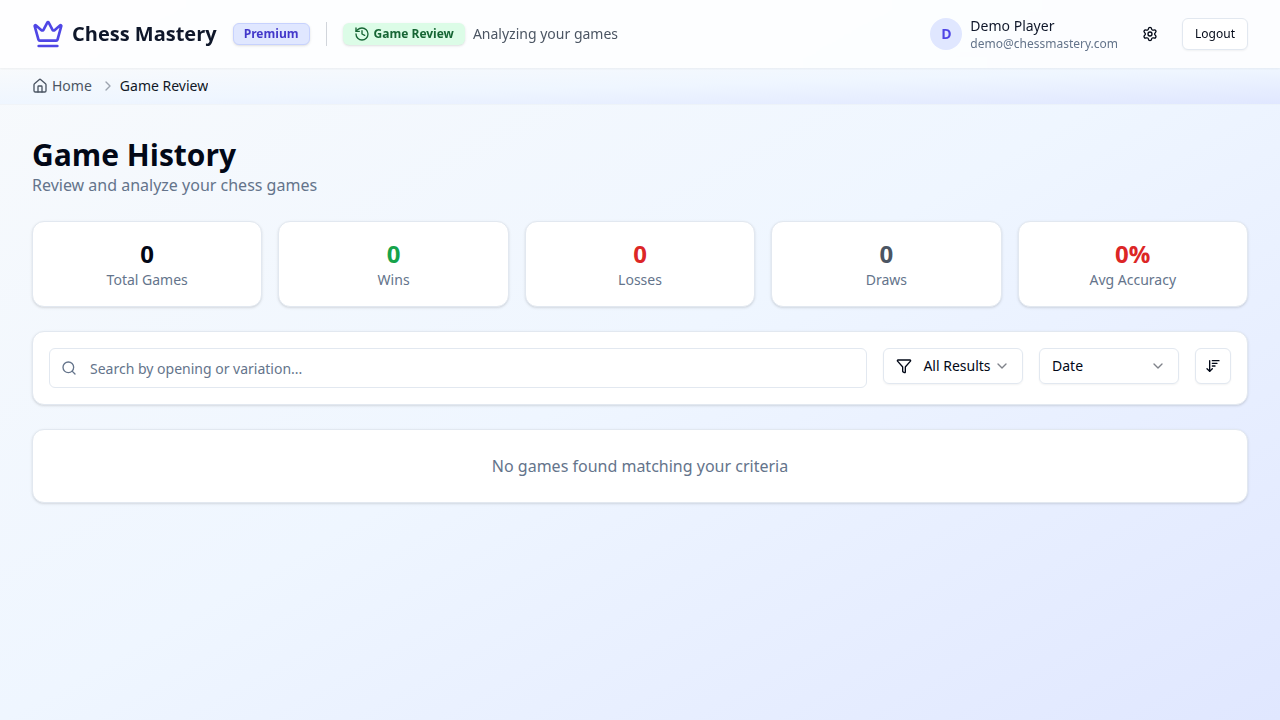
Game Review (/games)
- Navigate any completed game move by move
- Evaluation bar, mistake detection and annotations
Opening Map (/opening-map)
- D3-powered interactive force-directed graph of chess openings
Component Library
All UI components are developed in Storybook first. Runnpm run storybook to browse with interactive docs.Screenshots
| Dashboard | Practice vs AI |
|---|---|
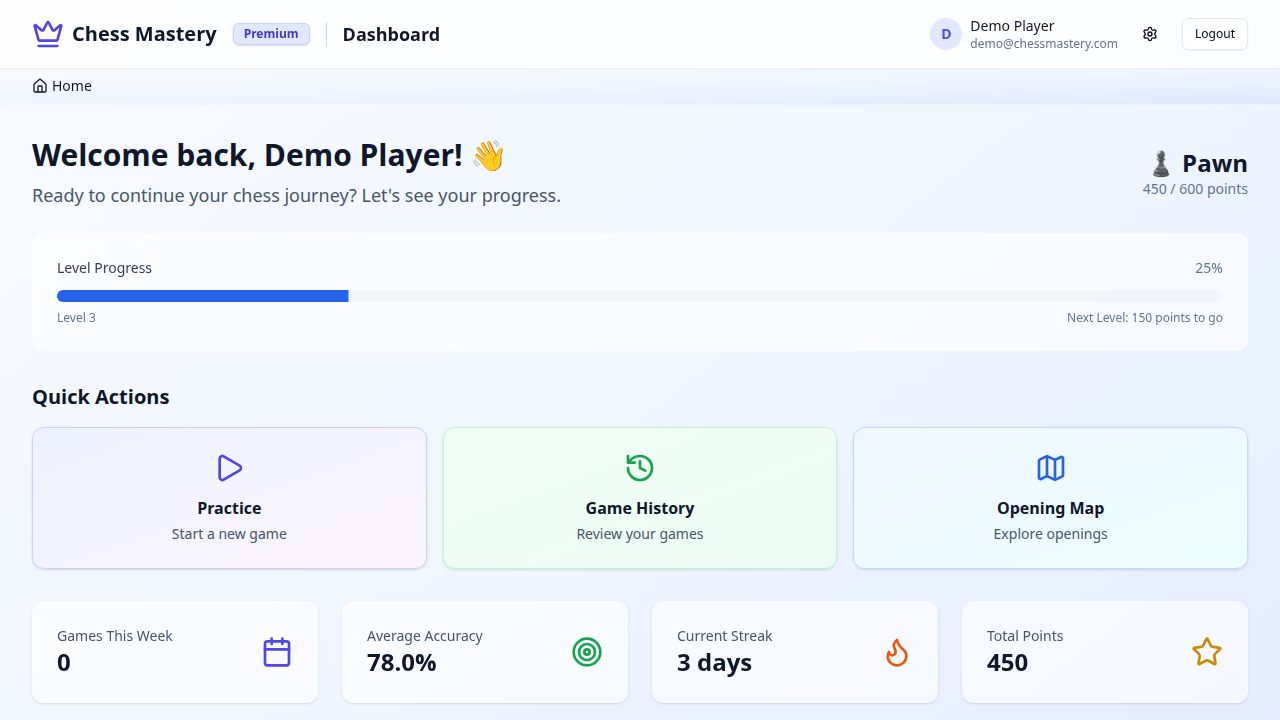 | 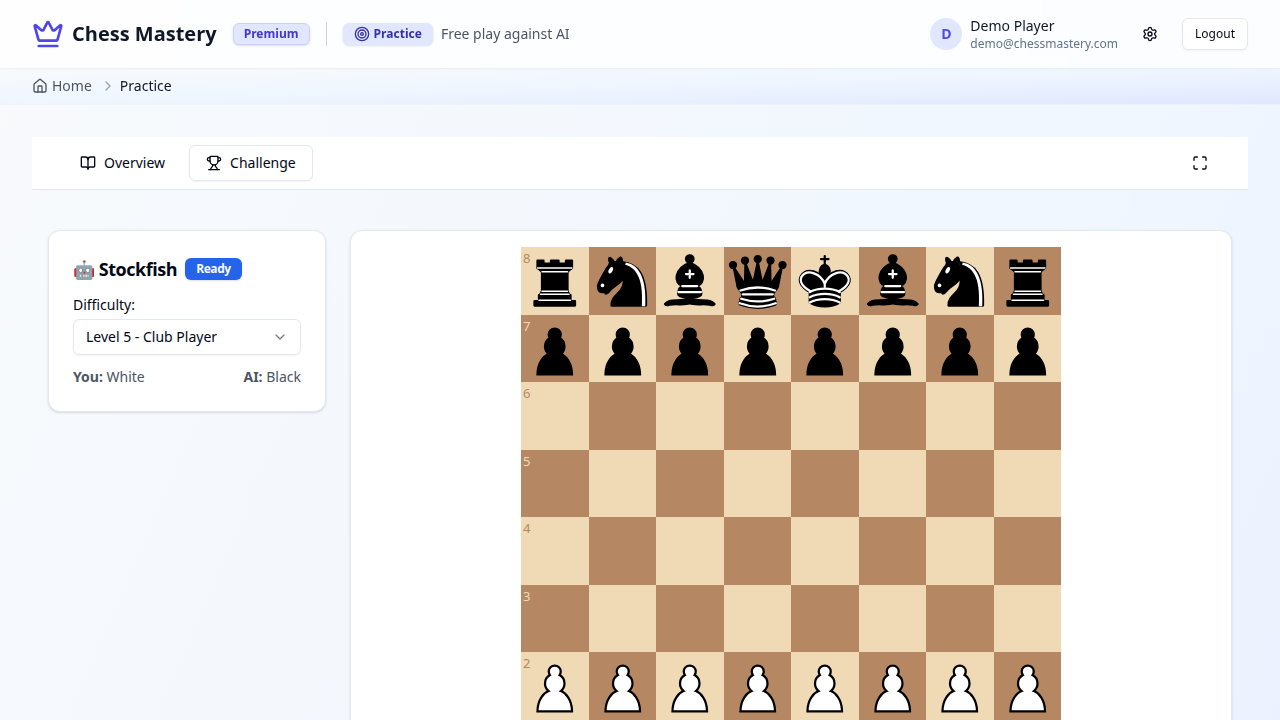 |
| Opening Map | Game History |
|---|---|
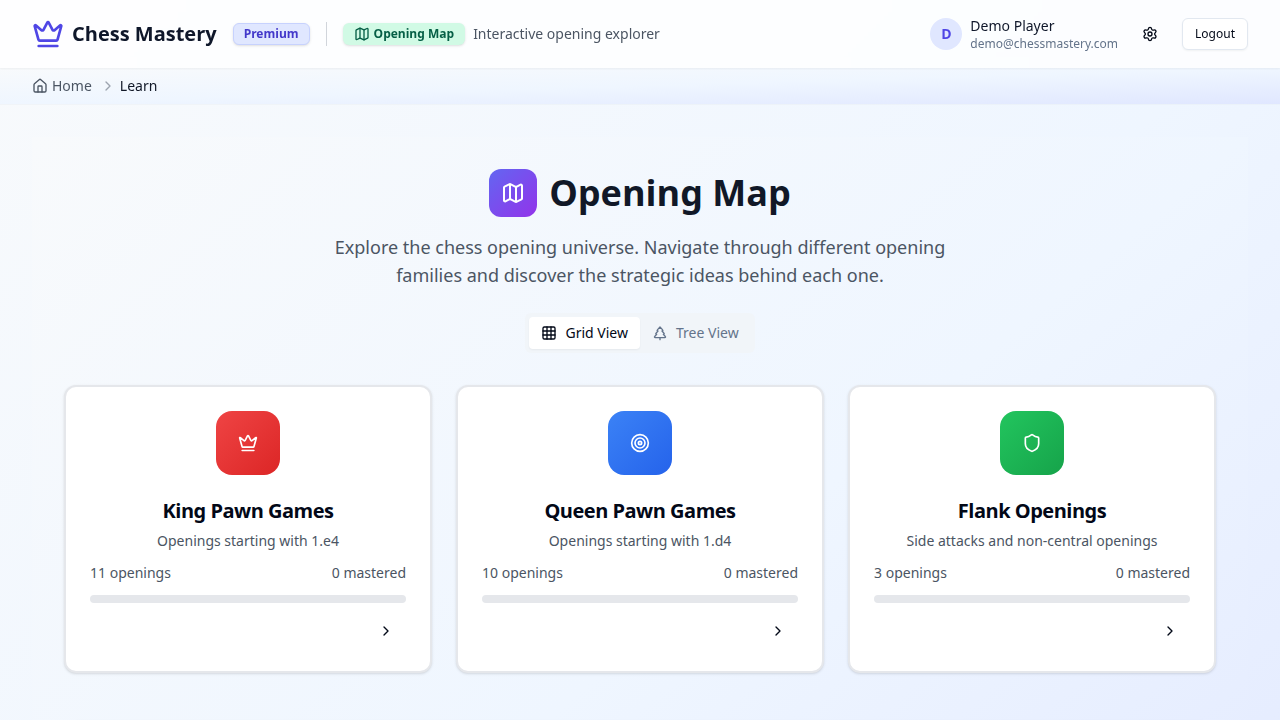 |  |
Prerequisites
| Dependency | Version | Required for |
|---|---|---|
| Node.js | 20+ | Frontend (required) |
| Go | 1.21+ | Backend — auth and data persistence (optional) |
Quick Start
git clone https://github.com/jonathanleahy/chess.git
cd chess
npm install
npm run dev          # → http://localhost:5173
Optional Go backend (auth + data persistence):
cd backend-go && air # → http://localhost:4001/graphql
Demo credentials: demo@chessmastery.com / password123
Development Commands
# App
npm run dev           # Vite dev server — http://localhost:5173
npm run build         # Production build
npm run preview       # Preview production build
npm run lint          # ESLint (0 warnings enforced)
npm run typecheck     # tsc --noEmit (strict, 0 errors enforced)

# Storybook
npm run storybook     # Component dev server — http://localhost:6006
npm run build-storybook

# Tests
npm test              # Unit tests (Vitest)
npm run test:watch    # Unit tests in watch mode
npm run test:e2e      # E2E tests (Playwright + Chromium)
npm run test:e2e:report # Open HTML report

# Backend
cd backend-go && air  # Go GraphQL server with hot reload (port 4001)
Architecture
Tech Stack
| Layer | Technology |
|---|---|
| Framework | React 19 + TypeScript (strict, 0 errors) |
| Build | Vite 7 |
| Styling | TailwindCSS + shadcn/ui + Radix UI |
| Chess logic | chess.js |
| Chess engine | Stockfish WASM (client-side, no backend needed) |
| Board UI | react-chessboard v5 |
| State / data fetching | Apollo Client + GraphQL |
| Backend | Go + gqlgen (GraphQL) — optional |
| Authentication | JWT |
| Component dev | Storybook 9 |
| Unit tests | Vitest + Testing Library |
| E2E tests | Playwright |
Application Routes
| Path | Component | Auth |
|---|---|---|
/ | LandingPage | No |
/login | LoginPage | No |
/register | RegisterPage | No |
/dashboard | Dashboard | Yes |
/practice | ChessGame | Yes |
/games | GameHistoryPage | Yes |
/opening-map | OpeningMapPage | Yes |
Project Structure
chess/
├── src/
│   ├── components/
│   │   ├── ui/                         # Base UI components (shadcn/ui)
│   │   │   └── *.stories.tsx           # Storybook stories
│   │   ├── chess/                      # Chess-specific components
│   │   │   ├── AnimatedChessBoard.tsx
│   │   │   ├── EnhancedAnalysisPanel.tsx
│   │   │   ├── LiveAnalysisControls.tsx
│   │   │   └── *.stories.tsx
│   │   ├── pages/                      # Page-level components
│   │   ├── game-review/                # Game history and review
│   │   ├── layout/                     # Authenticated layout wrappers
│   │   └── ChessGame.tsx               # Main game controller
│   ├── hooks/
│   │   ├── useChessGame.ts             # Chess game state
│   │   ├── useStockfish.ts             # Engine communication
│   │   ├── useStockfishAnalysis.ts     # Live position analysis
│   │   ├── useAuth.ts                  # JWT authentication
│   │   └── useChallengeProgress.ts     # Weekly challenge tracking
│   ├── data/
│   │   └── openings.ts                 # Opening database (typed)
│   ├── types/
│   │   └── challenges.ts               # Weekly challenge types + pure logic
│   └── lib/
│       ├── utils.ts                    # cn() class merging
│       └── apollo-client.ts            # GraphQL client
├── tests/
│   ├── unit/                           # Vitest unit tests
│   └── e2e/                            # Playwright E2E tests
├── docs/
│   ├── index.md                        # User guide home
│   ├── getting-started.md
│   ├── practice.md
│   ├── play-vs-ai.md
│   ├── game-review.md
│   ├── opening-map.md
│   └── images/                         # Screenshots and concept diagrams
├── userguide/                          # End-user documentation
│   ├── features/                       # Feature guides
│   └── screenshots/                    # Userguide screenshots
├── backend-go/                         # Go GraphQL API (optional)
├── CLAUDE.md                           # Developer + AI coding guidelines
└── LIVE_ANALYSIS_SPEC.md               # Live analysis system specification
Testing
Unit tests cover pure functions and state hooks. E2E tests verify full user flows in a real browser.
npm test              # Run unit tests
npm run test:e2e      # Run E2E tests (requires running app)
Unit test files (tests/unit/):
| File | What it covers |
|---|---|
getMoveQuality.test.ts | Move classification (evaluation deltas, perspective, edge cases) |
useChessGame.test.ts | Game state hook — move validation, undo, FEN loading, checkmate |
useStockfishAnalysis.test.ts | Live analysis hook — parsing engine output, evaluation, caching |
challenges.test.ts | Opening accuracy calculation, move matching, challenge scheduling |
utils.test.ts | cn() Tailwind class merging utility |
isAuthenticated.test.ts | JWT expiry checking |
tests/e2e/):| File | What it covers |
|---|---|
landing.spec.ts | Landing page — unauthenticated view, animated board |
auth.spec.ts | Login/register flow, protected route redirect |
authenticated-pages.spec.ts | Dashboard, Practice, Game History, Opening Map |
chess-gameplay.spec.ts | Game controls, flip, move history, hint button |
Quality Gates
All must pass before merging:
npm run typecheck   # 0 TypeScript errors (strict mode)
npm run lint        # 0 ESLint errors
npm test            # All unit tests green
npm run test:e2e    # All E2E tests green
npm run build       # Production build succeeds
Backend
The Go GraphQL backend is optional — all chess features (engine, analysis, tutorials) work without it.
| Endpoint | URL |
|---|---|
| GraphQL | http://localhost:4001/graphql |
| Schema | http://localhost:4001/schema |
cd backend-go && air # Hot reload (requires air)Without the backend: auth calls fail, no game history persistence. Everything else works.
Roadmap
- [x] Chess board with move validation
- [x] Stockfish WASM — engine play and analysis
- [x] Tutorial mode with opening guidance
- [x] Live analysis panel (5 tabs)
- [x] Best line animation with piece movement
- [x] Game review
- [x] Opening map (D3)
- [x] Component library in Storybook
- [x] Full TypeScript migration (strict, 0 errors)
- [x] Vitest unit tests + Playwright E2E tests
- [ ] User progress persistence
- [ ] Endgame training modules
- [ ] Mobile touch optimisation
- [ ] CI/CD pipeline
Contributing
git checkout -b feature/your-featureSee CLAUDE.md for detailed development guidelines.
Acknowledgments
- Stockfish — Open-source chess engine
- chess.js — Chess game logic
- react-chessboard — Board rendering
- Radix UI — Accessible component primitives
- shadcn/ui — Component library foundation
- gqlgen — Go GraphQL code generator
Jonathan Leahy — github.com/jonathanleahy